
MojoLauncher
MojoLauncher is a free and open-source Android launcher that allows you to play Minecraft: Java Edition directly on your smartphone or tablet. Based on PojavLauncher, it brings the original PC Java Edition experience to Android devices, allowing players to enjoy different Minecraft versions without needing a computer.
With MojoLauncher, you can explore different Minecraft versions, install popular mod loaders like Forge and Fabric, and customize your gameplay with supported mods. It also offers customizable touch controls and support for external keyboards, mice, and game controllers, making it easier to enjoy Minecraft on mobile.
Whether you want to explore older Minecraft versions, try the latest snapshots, play with mods, or join Java Edition multiplayer servers, MojoLauncher provides a convenient way to experience Minecraft on Android.
In this guide, we’ll cover everything you need to know about MojoLauncher, including its features, download and installation process, how to use it, safety, compatibility, FAQs, and more.
What Is MojoLauncher?
MojoLauncher is an Android application designed to run Minecraft: Java Edition on mobile devices. It is based on PojavLauncher and uses Java runtime components and graphics compatibility layers to make the desktop version of Minecraft work on Android.
Unlike the standard Minecraft mobile app, MojoLauncher lets you experience Java Edition features, including different game versions, supported mods, custom controls, and multiplayer servers. It supports mod loaders such as Forge and Fabric, allowing players to customize their Minecraft experience with additional content.
The launcher also supports a wide range of Minecraft versions, from older releases to newer snapshots. However, performance depends on your Android device’s processor, RAM, GPU, and selected graphics renderer.
MojoLauncher is a free and open-source community project. You still need a legitimate Minecraft: Java Edition account to play, as the launcher does not provide the paid game itself.
Why Do People Use MojoLauncher?
Many Minecraft players use MojoLauncher because it allows them to enjoy Minecraft: Java Edition on an Android device. Instead of being limited to the mobile Bedrock Edition, players can access several features associated with the PC version.
Here are some common reasons why players choose MojoLauncher:
- Play Java Edition on Android: Enjoy the original Minecraft Java Edition experience directly on your smartphone.
- Explore Different Versions: Play older Minecraft releases, current versions, and supported snapshots.
- Use Mods: Customize gameplay using supported mod loaders such as Forge and Fabric.
- Multiplayer Support: Connect to compatible Minecraft Java Edition multiplayer servers.
- Custom Touch Controls: Adjust on-screen controls to make playing more comfortable.
- External Controller Support: Use compatible keyboards, mice, and game controllers.
- Free and Open Source: Download and use the launcher without purchasing the launcher itself.
Key Features of MojoLauncher
Here are some of the most useful features that make MojoLauncher a popular option for playing Minecraft: Java Edition on Android.
Minecraft Java Edition on Android
MojoLauncher allows you to run Minecraft: Java Edition directly on your Android phone or tablet, bringing the desktop gaming experience to mobile devices.
Support for Multiple Minecraft Versions
You can explore a wide range of Minecraft versions, including older releases, modern versions, and supported development snapshots.
Forge and Fabric Support
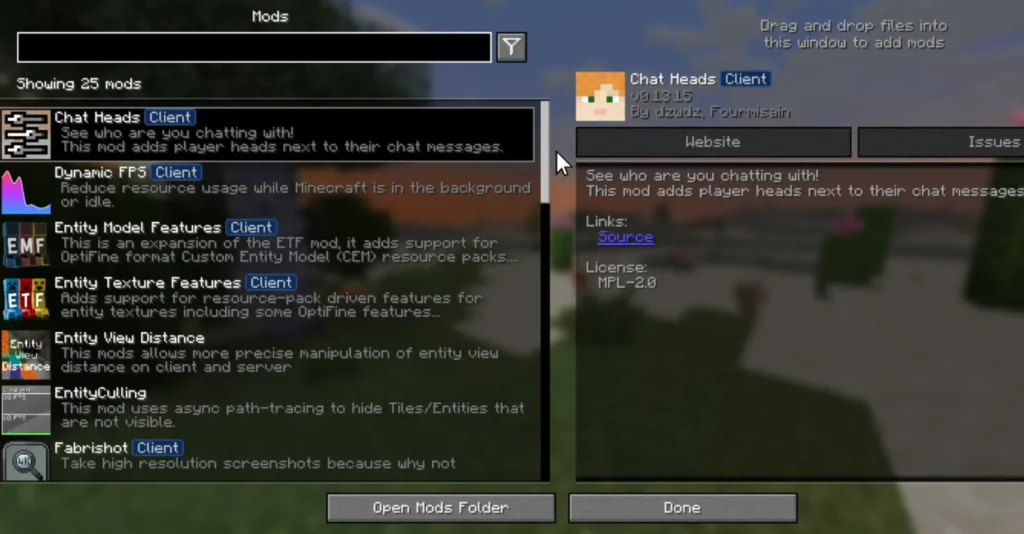
MojoLauncher supports popular mod loaders like Forge and Fabric, allowing you to install compatible mods and customize your gameplay.
Customizable Touch Controls
Use on-screen controls to move, jump, interact with blocks, and manage your inventory. You can customize the control layout according to your playing style.
Keyboard and Mouse Support
For a more PC-like experience, connect a compatible physical keyboard and mouse to your Android device.
Game Controller Compatibility
MojoLauncher supports compatible external game controllers, giving players another convenient way to control Minecraft.
Mod and Modpack Support
Install supported Minecraft mods and import compatible Modrinth or CurseForge modpacks using the available import features.
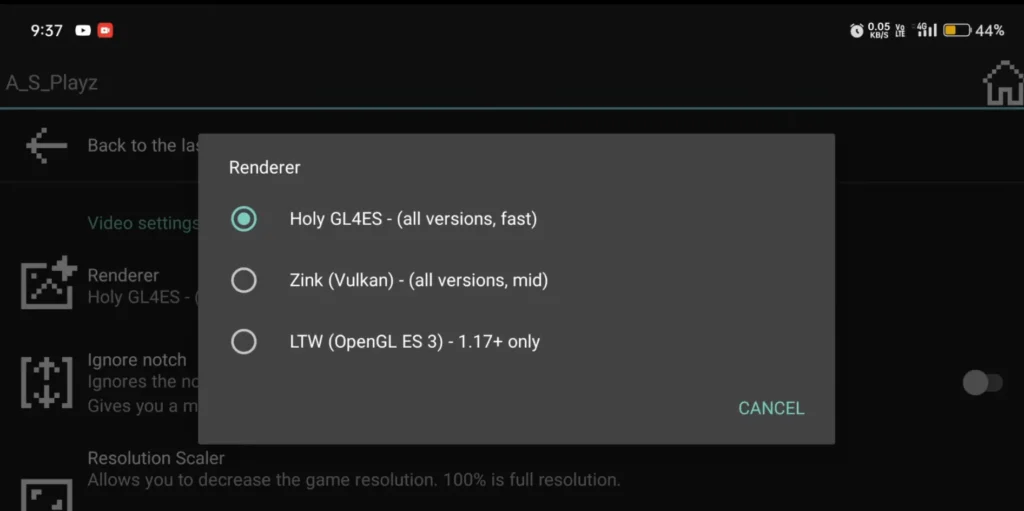
Multiple Graphics Renderers
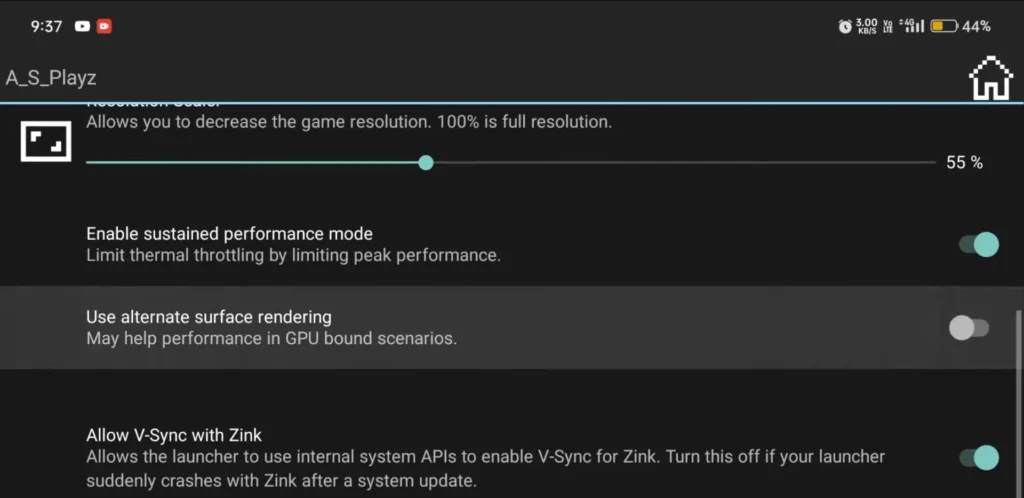
The launcher offers different graphics rendering options, helping users select a suitable configuration for their Android hardware.
Multiplayer Gameplay
Play on compatible Minecraft Java Edition multiplayer servers with other players using supported game versions.
Free and Open-Source Project
MojoLauncher is released under the GNU LGPL v3 license. Its public source code allows developers and interested users to explore the project and contribute to its development.
Can You Use MojoLauncher on PC?
MojoLauncher is primarily designed for Android devices and is not an official Windows or macOS launcher. If you want to play Minecraft: Java Edition on a computer, you can use the official Minecraft Launcher instead.
MojoLauncher is specifically intended to bring the Java Edition experience to Android smartphones and tablets.
MojoLauncher for Android Devices
MojoLauncher is designed specifically for Android smartphones and tablets. It allows users to play Minecraft: Java Edition with support for different game versions, mods, and customizable controls.
The application requires Android 5.0 or newer to install, but a more powerful device is recommended for better performance, especially when running modern Minecraft versions or modded gameplay.
Performance can vary depending on your device’s processor, available RAM, GPU, and graphics settings. For the best experience, use a compatible Android device with sufficient hardware resources.
How to Download and Install MojoLauncher?
Follow these simple steps to download and install MojoLauncher on your Android device.
- Open the official MojoLauncher website or its GitHub repository to find the latest available release.
- Open the releases page and download the latest stable Android APK file.
- Once the download is complete, open your Downloads folder and tap the MojoLauncher APK.
- If Android asks for permission, allow your browser or file manager to install apps from that source.
- Tap the Install button and wait for Android to complete the installation.
- Open the installed application and complete the initial setup.
- Use your Microsoft account that owns Minecraft: Java Edition.
- Choose the Minecraft version you want to play and allow the launcher to download the required game files.
- Adjust the on-screen controls or connect a compatible external keyboard, mouse, or controller.
- Once the setup is complete, tap Play and enjoy Minecraft: Java Edition on your Android device.
Important: Always download the APK from the official project sources. Avoid modified or repackaged installation files.
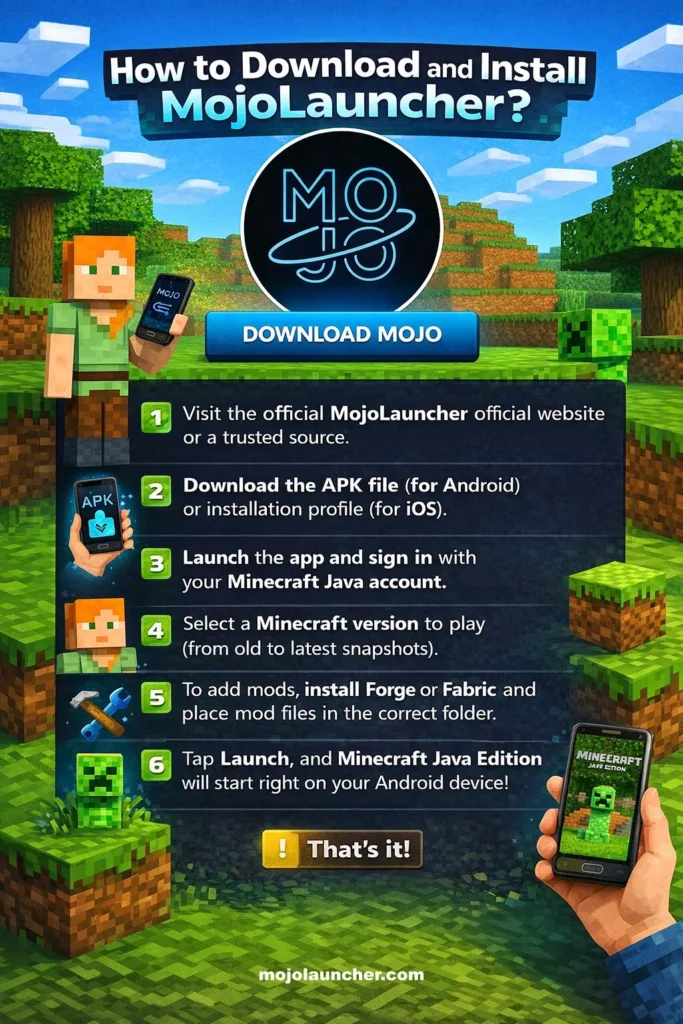
How to Use MojoLauncher
After installing MojoLauncher, follow these steps to start playing Minecraft: Java Edition.
- Open MojoLauncher on your Android device.
- Sign in using your Microsoft account that owns Minecraft: Java Edition.
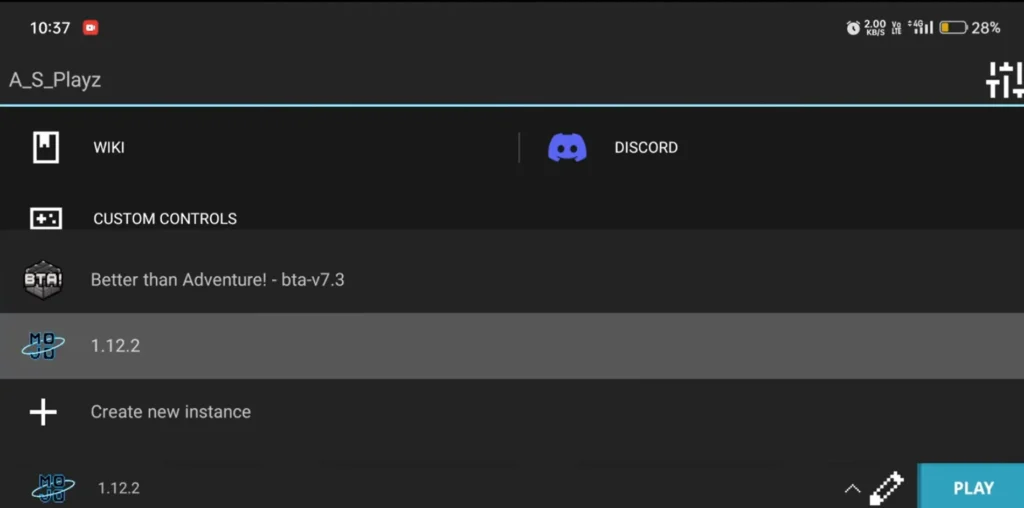
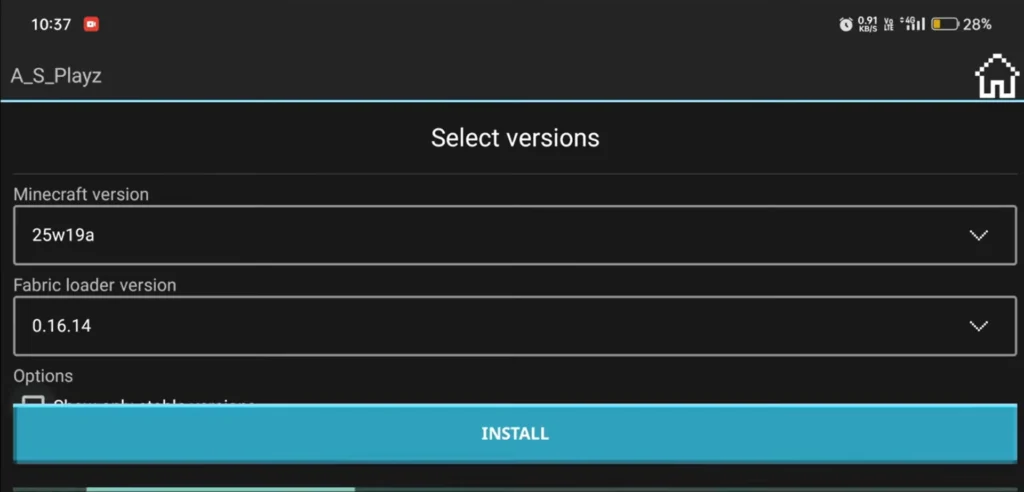
- Select your preferred Minecraft version from the available list.
- Wait for the required game files to download.
- Configure your preferred graphics settings and control layout.
- Install Forge or Fabric if you want to play with compatible mods.
- Connect to a compatible multiplayer server or start a single-player world.
- Tap the Play button to launch Minecraft.
For beginners, it is recommended to start with the default settings. You can adjust graphics, controls, and other available options later according to your device’s performance.
Is MojoLauncher Safe?
MojoLauncher is a free and open-source project developed publicly on GitHub. Its source code is available under the GNU LGPL v3 license, allowing users and developers to review the project.
However, downloading the application from an unofficial website or an unknown third-party source can create security risks. Modified APK files may contain unwanted changes or potentially harmful software.
Here are some safety tips to follow when using MojoLauncher:
- Download the application from its official website, GitHub repository, or Google Play.
- Avoid unofficial and modified APK files.
- Check the application permissions before installation.
- Keep your Android device and security updates up to date.
- Never share your Microsoft account password with unofficial websites.
- Avoid suspicious links claiming to offer unlocked Minecraft accounts.
- Keep your Minecraft account protected with appropriate security settings.
Overall, using the authentic project release from a trusted source is the recommended way to install MojoLauncher. Remember that being open source does not automatically guarantee that every APK available online is safe.
MojoLauncher vs. Manual Setup
MojoLauncher and manual setup offer different approaches to running Minecraft: Java Edition on Android.
| Feature | MojoLauncher | Manual Setup |
| Installation | Launcher-based installation | More manual configuration |
| Minecraft Versions | Version selection through the launcher | Depends on the setup |
| Java Runtime | Integrated launcher environment | Requires separate configuration |
| Forge and Fabric | Supported | Depends on the environment |
| Touch Controls | Built-in customizable controls | Depends on the setup |
| Graphics Settings | Available launcher options | Depends on the configuration |
| Ease of Use | Convenient for Android users | Can require more technical knowledge |
MojoLauncher is a convenient option for Android players who want to run Minecraft Java Edition without configuring every component manually.
Images
FAQs
What is MojoLauncher?
MojoLauncher is a free and open-source Android launcher that allows you to play Minecraft: Java Edition on your smartphone or tablet.
Is MojoLauncher free?
Yes! MojoLauncher is free and open-source, but you still need a legal Minecraft Java Edition account to play.
Is MojoLauncher the same as MJLauncher?
Yes. MojoLauncher is also known as MJLauncher. Since the Iris release, MJLauncher is the app name displayed on supported devices, while the project and GitHub repository continue to use the MojoLauncher name.
Does MojoLauncher support Forge and Fabric?
Yes, MojoLauncher supports both Forge and Fabric, allowing users to install compatible mods and customize their Minecraft gameplay.
Can I play Minecraft Java Edition on Android using MojoLauncher?
Yes, that is the main purpose of MojoLauncher. It brings Minecraft: Java Edition to compatible Android smartphones and tablets.
Does MojoLauncher support Minecraft snapshots?
Yes, the launcher supports a wide range of Minecraft versions, including supported development snapshots.
Can I play multiplayer using MojoLauncher?
Yes, you can join compatible Minecraft Java Edition multiplayer servers using a supported game version.
Does MojoLauncher work on iOS?
MojoLauncher is designed for Android. An official iOS version should not be assumed to exist.
Can I use MojoLauncher on PC?
MojoLauncher is primarily an Android launcher. For playing Minecraft Java Edition on Windows or macOS, use the official Minecraft Launcher.
Do I need to buy Minecraft to use MojoLauncher?
Yes, you need a legitimate Minecraft: Java Edition account. MojoLauncher does not include the paid Minecraft game.
Conclusion
MojoLauncher is a useful option for Minecraft fans who want to enjoy Minecraft: Java Edition on their Android devices. With support for different game versions, Forge, Fabric, mods, customizable touch controls, and multiplayer servers, it brings many of the familiar Java Edition features to mobile gaming.
Whether you want to explore older versions, try different mods, or enjoy Minecraft with friends, MojoLauncher offers a convenient way to play without needing a PC. For the best experience, make sure your device meets the requirements and always download the launcher from a trusted source.
If you love Minecraft Java Edition and want to experience it on your Android phone, MojoLauncher is worth exploring.
MojoLauncher
Download MojoLauncher to play Minecraft Java on Android! Enjoy mods, Forge, Fabric, and all versions. Get the full PC experience on your mobile device.
Price: 0.0
Price Currency: $
Operating System: Android
Application Category: Game
4.7